
Key points
- GPU memory (VRAM) sets the ceiling on how large, and how lightly compressed, a model you can run. It doesn't make a model smarter. It decides which models you can use.
- Compressing a model (quantization) cuts the memory it needs, and so the hardware cost, at some cost to quality. The loss is reported to be small at 8-bit and at 4-bit, and to grow below 4-bit.1
- You can work out the memory yourself: the model's weights, plus working memory for every user's conversation (the KV cache), plus overhead.
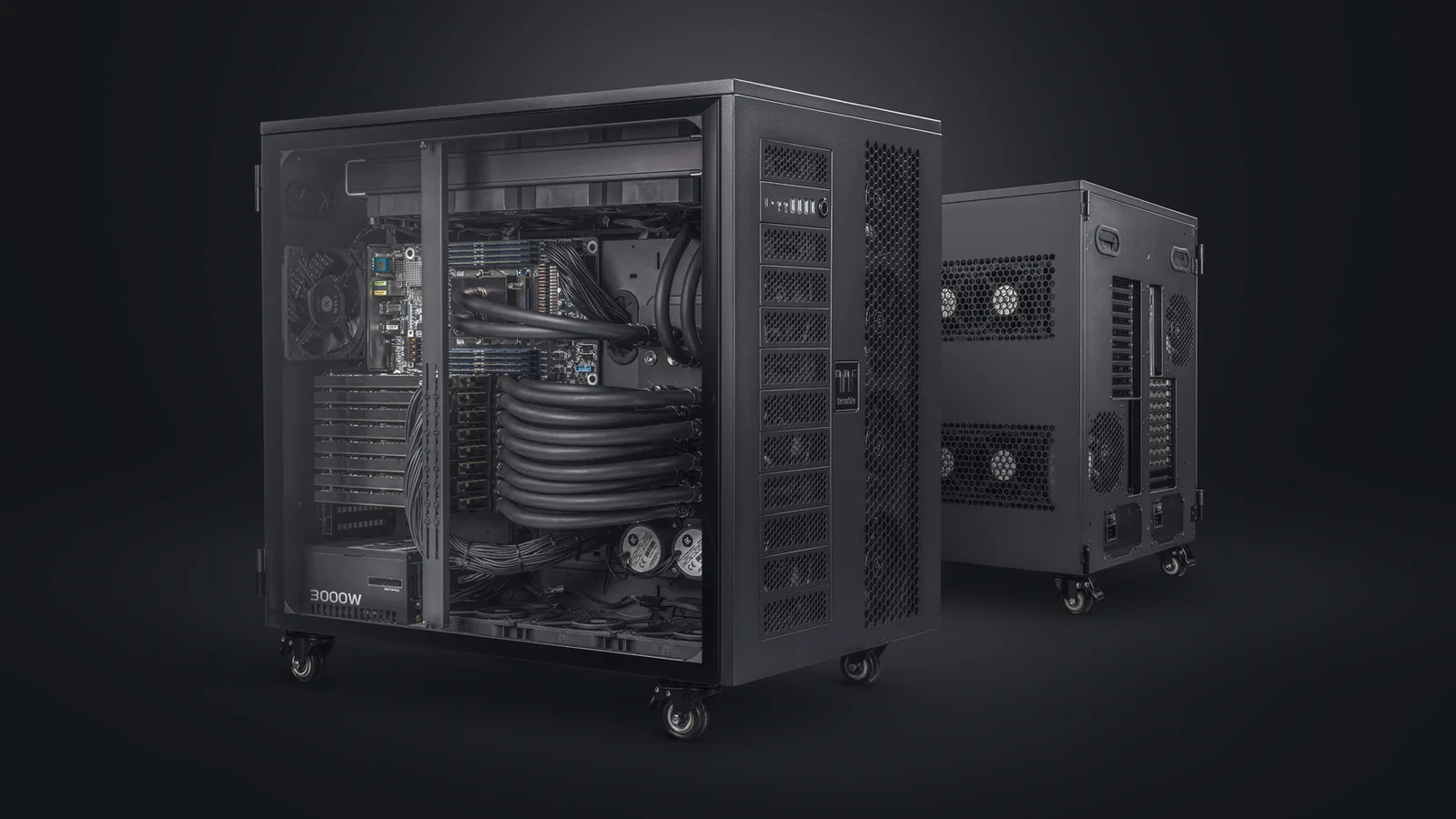
- More VRAM means larger cards or more of them, and the cost climbs faster than the memory: past one card, you also pay for the server, power and cooling that run several.2
One model, ten users, an 8,192-token conversation each. At full 16-bit precision, Llama 3.3 70B needs roughly 185–200 GB of GPU memory. With its weights compressed to 4-bit, the same model serving the same ten people needs roughly 70 GB.34
The first figure is a multi-card server. The second is a single card. The difference between them is a setting, and a quality test.
That is why every conversation about owning a model ends at the same number: how much GPU memory it needs. LLM VRAM requirements decide which cards you buy, how many, and whether the model fits in a workstation or needs a server. They're also the part of the budget most often guessed rather than worked out.
This piece works it out. The first three sections explain why memory decides so much, in terms anyone signing off the budget can follow. The last three give the method and run it on three models.
Why memory decides which model you can run
Three facts connect a model to a budget.
First, a model's size, measured in parameters, is closely tied to how capable it is. Within one family, the larger versions usually do more, and do it better. Second, to run at a useful speed, the whole model has to sit in the GPU's own memory, the VRAM, while it works. Third, VRAM is fixed per card, and expensive.
Put the three together and the VRAM you can afford sets the ceiling on how capable a model you can own. Every buyer makes the same trade: how good the model needs to be for the job, against what you can afford to run it on. For many business jobs the answer is a smaller model that is big enough, which is the argument of What are the different types of AI in the market, and which is suited to my business?
One correction, made once. "More VRAM makes the AI smarter" is shorthand, and it misleads. VRAM doesn't improve a model; it decides which models fit. Within a family, bigger is usually more capable, but a newer small model can beat an older large one. The size of the card is not a measure of the quality of the answer.
From model to money: the chain in five links
For a budget owner, the whole subject reduces to one chain. Each link drives the next, and the money is at the end of it.
Link 01
Competence → size
The more a model has to do, and the better it has to do it, the more parameters it tends to need. A model that drafts replies in one house style needs far fewer than one that has to do anything.
Link 02
Size → compression
A model's parameters can be stored at different levels of precision. Full precision keeps every detail; compressed versions take less memory and lose a little quality. You choose the level.
Link 03
Size and compression → VRAM
Parameters times the memory each one takes gives the core of the VRAM figure. Then add memory for the people using the model at once, and for the software running it.
Link 04
VRAM → cards
Each GPU has a fixed amount of memory. If the model and its working memory fit on one card, you need one. If not, you need a card with more memory, or several cards sharing the model.
Link 05
Cards → money
Cards with more memory cost more, and the step from one card to several changes the whole system around them: the chassis, the power delivery and the cooling. That step is where the cost climbs fastest.
Think of it like a photo: resolution and compression
If the chain feels abstract, a camera makes it concrete. The parallel holds up well.
- Model size is image resolution. A 50-megapixel photo holds more detail than a 12-megapixel one. A 70-billion-parameter model holds more capability than an 8-billion-parameter one.
- Quantization is the JPEG quality setting. Shoot in RAW and you keep everything. Save as a high-quality JPEG and you can't see the difference. Squeeze the file hard and the artefacts start to show. For a model, 16-bit precision is the RAW file, 8-bit is the high-quality JPEG, 4-bit is a smaller JPEG that still looks right for most uses, and below that the artefacts show.
- VRAM is the memory card that has to hold the whole photo while you work on it. A bigger photo, or a less compressed one, needs a bigger card. And a bigger card costs more.
The parallel stops somewhere. A model isn't a photo, and how much compression it tolerates depends on the task. A model summarising emails may lose nothing you'd notice at 4-bit; one doing careful arithmetic or code may. Test the compressed model on your own job before relying on it.
The method: weights, working memory and overhead
From here the piece is for the people doing the sizing. The memory a model needs for inference, answering requests rather than being trained, is the sum of three parts. Get all three and you have the number. Miss one and you have a guess.
1. Weights. The model's parameters, stored at the chosen precision.
weights (GB) = parameters (billions) × bytes per parameter
Bytes per parameter: 2 at 16-bit, 1 at 8-bit, 0.5 at 4-bit. A 70-billion-parameter model therefore needs about 140 GB at 16-bit, 70 GB at 8-bit and 35 GB at 4-bit, for the weights alone.
2. KV cache. While a model works through a conversation, it stores intermediate values, the keys and values, for every token it has seen, so it doesn't recompute them for each new word. This working memory grows with the length of the conversation and with the number of conversations running at once.5
KV cache (bytes) = 2 × layers × KV heads × head dimension × bytes per value × tokens in context × concurrent users
The first four values come from the model's own configuration file. The 2 counts the keys and the values. Many current models share keys and values across groups of attention heads, which is why "KV heads" is often much smaller than the total number of heads. Always use the KV head count from the config, not the attention head count.
3. Overhead. The runtime itself, temporary activations during each step, and memory the serving software reserves. It varies by software and settings. As a working planning range, allow 10–20% on top of weights and KV cache.4
A note on Mixture of Experts. Some large models use only part of themselves for each word: a routing layer picks a few "experts" out of many. That cuts the computation per word, but not the memory. Every expert has to be in VRAM, ready to be picked. Size a Mixture of Experts model by its total parameters, never by the parameters it uses per word.6
Three worked examples, from one card to a full server
Each example uses a named open-weight model to show the method. The models are examples, not recommendations. All KV cache figures assume 16-bit values and a context of 8,192 tokens per conversation; overhead uses the 10–20% working range above.
Example 01
A small model on one workstation card7
| Model | Llama 3.1 8B (Meta, open-weight) |
|---|---|
| Parameters · precision | 8 billion · 16-bit |
| Weights | about 16 GB |
| KV cache | about 0.13 MB per token → about 1.1 GB per conversation → about 4.3 GB for 4 users |
| Total with overhead | about 22–25 GB |
| Cards | one 48 GB workstation card, with room to spare8 |
| Market price example | about €7,500–9,200 per card, Germany, incl. VAT, October 20269 |
The result: a small model for a small team fits on one workstation card at full precision. At 8-bit it would fit on a card half that size.
Example 02
A mid-size model: the compression trade-off in numbers3
| At 16-bit | At 4-bit | |
|---|---|---|
| Model | Llama 3.3 70B (Meta, open-weight) | same |
| Weights | about 141 GB | about 35 GB |
| KV cache, 10 users | about 27 GB (0.33 MB per token; 2.7 GB per conversation) | about 27 GB (unchanged: the cache stays at 16-bit) |
| Total with overhead | about 185–200 GB | about 68–75 GB |
| Cards | two 141 GB data-centre cards, or four 80 GB cards8 | one 96 GB card, or one 80 GB card with less headroom8 |
| Market price example | about €39,000–51,500 per 141 GB card at EU resellers, October 2026, so about €78,000–103,000 for two, before the server10 | about €18,000–20,900 for one 96 GB card, Germany, incl. VAT, October 202611 |
The result: at 4-bit this model fits on one card. At 16-bit it needs two to four, and the server to hold them.
Two things in this table matter more than the totals. Compression cut the weights by three quarters, and that turned a multi-card server into a single card. And at 4-bit, the working memory for ten users is almost as large as the model itself: about 27 GB of cache against about 35 GB of weights. Once the model is compressed, concurrency, not the model, becomes the main driver of the size.
Multi-card setups usually split a model across two, four or eight cards, which is why the 16-bit column says four 80 GB cards rather than three.
Example 03
A large Mixture of Experts model across a full server12
| Model | DeepSeek-V3 (DeepSeek, open-weight, Mixture of Experts) |
|---|---|
| Parameters · precision | 671 billion total, about 37 billion used per word · 8-bit as released |
| Weights | about 685 GB (all experts held in memory) |
| KV cache, 10 users | about 6 GB: this model compresses its cache, so the general formula overstates it; use the model's own figure |
| Total with overhead | about 760–830 GB |
| Cards | eight 141 GB data-centre cards: a full eight-GPU server8 |
| Market price example | about €312,000–412,000 for eight cards at EU resellers, October 2026, before the server around them10 |
The result: a frontier-scale open-weight model needs a full eight-GPU server just to hold it, even though it uses only a small part of itself for each word.
The cache line here is the exception, and it's why the method says to read the config. This model was designed to shrink its working memory, so its cache for ten users is smaller than the 70B model's. Take the cache figure from how the specific model is built, never from a rule of thumb.
Four sizing mistakes, and the fix for each
Mistake 01
Sizing for the weights only
"A 70B model at 4-bit is 35 GB, so a 48 GB card will do." It won't, once the KV cache and overhead are added: Example 02 puts the total at 68–75 GB for ten users. The weights are where the calculation starts, not where it ends.
Mistake 02
Ignoring long contexts
The KV cache grows in step with the context length. A model that fits comfortably for short chats can run out of memory when someone pastes in a long contract. Size for the longest context you intend to allow.
Mistake 03
Ignoring concurrent users
The cache is per conversation. Ten people using the model at once need ten times the cache of one. Size for the number of people using it in the busiest hour, not on average.
Mistake 04
Compressing below the quality the task needs
Going from 16-bit to 4-bit can turn a server into a single card, and the evaluation evidence suggests the loss at 4-bit is often small.1 Below 4-bit, the reported losses grow. The right precision is the lowest one at which the model still does your job well, and only a test on your own task will tell you where that is.
Weights, plus cache for the longest context and the busiest hour, plus 10–20% overhead, at the lowest precision your task tolerates. That number decides the cards, and the cards decide the budget.
Frequently asked questions
How much VRAM do I need to run a 70B model?
For the weights alone, about 140 GB at 16-bit, 70 GB at 8-bit and 35 GB at 4-bit. Add the KV cache, which for a model like Llama 3.3 70B is about 2.7 GB per conversation at an 8,192-token context, multiplied by the number of people using it at once, and then 10–20% overhead. For ten users that is roughly 70 GB at 4-bit and 185–200 GB at 16-bit.
Does more VRAM make an AI model better?
No. VRAM doesn't change a model's quality; it decides which models, at which precision, you can run. More VRAM lets you run a larger or less compressed model, which within one model family is usually more capable, but a newer small model can outperform an older large one.
Does a quantized model lose quality?
Some, depending on how far it is compressed and on the task. Evaluations report that 8-bit and 4-bit versions of large models usually stay close to the original on standard tests, and that quality drops more noticeably below 4-bit.1 Test the compressed model on your own task before relying on it.
How much extra VRAM does each concurrent user need?
Each concurrent conversation needs its own KV cache: 2 × layers × KV heads × head dimension × bytes per value × context length. For an 8-billion-parameter model like Llama 3.1 8B at an 8,192-token context, that is about 1.1 GB per user; for a 70-billion-parameter model like Llama 3.3 70B, about 2.7 GB. Models with compressed attention caches need less.
How do I calculate the VRAM a model needs?
Add three things: the weights (parameters × bytes per parameter: 2 at 16-bit, 1 at 8-bit, 0.5 at 4-bit), the KV cache for the longest context and the most concurrent users you plan for, and 10–20% overhead for the runtime. Take the layer and head counts from the model's own configuration file, and size Mixture of Experts models by their total parameters.
Sources
Model cards, documentation and price listings were accessed on 13 and 14 October 2026. Prices are public market examples, not quotes.
- Jin, R. et al. (2024), "A Comprehensive Evaluation of Quantization Strategies for Large Language Models", arXiv:2402.16775, testing Qwen-Chat 7B, 14B and 72B on ten benchmarks: "LLMs with 4-bit quantization can retain performance comparable to their non-quantized counterparts", while "a notable performance discrepancy emerges as quantization decreases to 3 bits or lower". For the Llama 3.1 family: Kurtic, E. et al., "'Give Me BF16 or Give Me Death'? Accuracy-Performance Trade-Offs in LLM Quantization", arXiv:2411.02355: 8-bit FP8 is "effectively lossless", and 4-bit weight-only quantization is "more competitive than expected".
- Per gigabyte of memory, the market examples below run from about €160–190 for a 48 GB workstation card, to about €190–220 for a 96 GB card, to about €280–370 for a 141 GB data-centre card.
- Meta, Llama 3.3 70B Instruct model card; configuration from the identical
config.json: 80 layers, 8 key-value heads, head dimension 128; 70.6 billion parameters calculated from the configuration. - EleutherAI, Transformer Math 101, April 2023: inference memory beyond the model weights is "≤ 20%" in their experience. The 10% lower end is a planning assumption; the right figure depends on the serving software and its settings (vLLM, for example, by default reserves up to 92% of GPU memory for the model, its cache and working memory: engine arguments).
- Kwon, W. et al. (2023), "Efficient Memory Management for Large Language Model Serving with PagedAttention", SOSP 2023, arXiv:2309.06180: "the key-value cache (KV cache) memory for each request is huge and grows and shrinks dynamically". The paper sizes one token's cache as 2 (keys and values) × hidden size × layers × bytes per value, the same structure as the formula here.
- OpenAI, gpt-oss-120b and gpt-oss-20b model card, August 2025: gpt-oss-120b has 116.8 billion parameters in total and 5.1 billion active, with a checkpoint of 60.8 GiB that has to fit in GPU memory as a whole. DeepSeek-V3 (note below) has 671 billion in total and 37 billion active per token.
- Meta, Llama 3.1 8B Instruct model card; configuration read from an identical copy of
config.json(unsloth mirror, as Meta's repository requires sign-in): 32 layers, 8 key-value heads, head dimension 128; 8.03 billion parameters calculated from the configuration. - NVIDIA specifications. 48 GB: RTX PRO 5000 Blackwell. 80 GB: H100 (SXM). 96 GB: RTX PRO 6000 Blackwell. 141 GB: H200.
- NVIDIA RTX PRO 5000 Blackwell 48 GB, German retail listings via the Geizhals price comparison (hardwaredealz.com), €7,499 to €9,222, 14 October 2026; Jacob, €8,402 incl. VAT.
- NVIDIA H200 NVL 141 GB, which has no German retail listing; EU reseller listings, 14 October 2026: LDLC.pro (France), €39,040 incl. VAT (€32,533 excl.); SHI Germany, €51,536, VAT not stated. Indicative only: complete eight-GPU systems are quoted per project. No current public listing was found for 80 GB H100 cards.
- NVIDIA RTX PRO 6000 Blackwell 96 GB, German retail listings via the Geizhals price comparison (hardwaredealz.com), €17,990 to €20,899, 14 October 2026; Jacob, €20,731 incl. VAT.
- DeepSeek-AI, "DeepSeek-V3 Technical Report", arXiv:2412.19437; model card: "671B of the Main Model weights and 14B of the Multi-Token Prediction (MTP) Module weights", FP8 weights only;
config.json: 61 layers, compressed attention cache of 512 + 64 values per token per layer, so about 0.07 MB per token at 16-bit.